Discord notifications · coming in 1.3
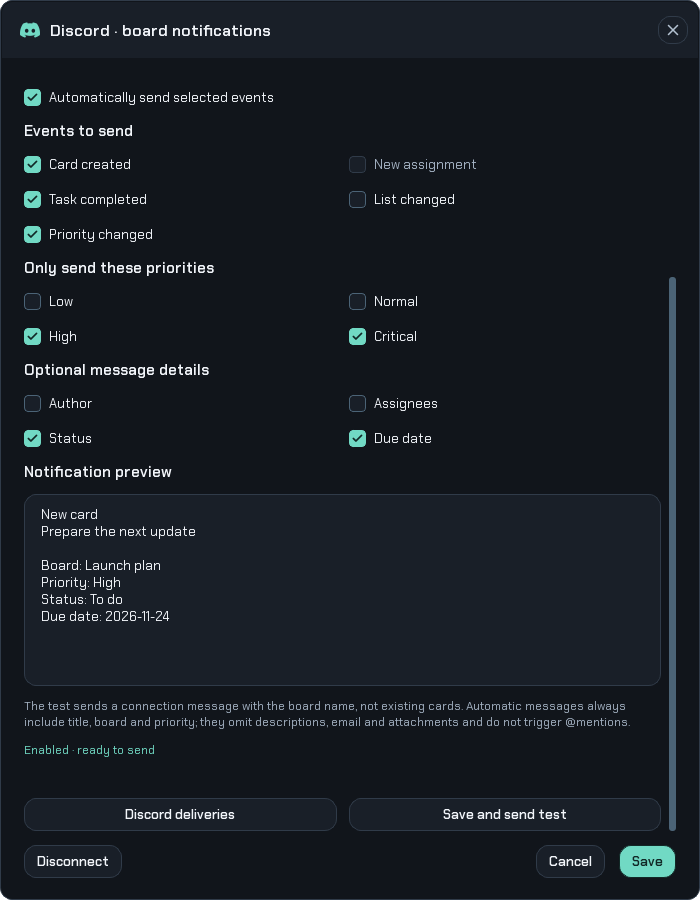
Connect a board to your channel, choose events and priorities, review the preview and manage deliveries from the queue. FLOW must remain running.

 Download
STRIKE FLOW · WINDOWS + WEB
Boards for projects, tasks and deadlines. Work on your PC or share a board with your team.
Capture an idea in your Inbox, move it to the right board and make time to finish it.
Also available in your browser
Open FLOW without installing anything. Sign in with the same Google account as the Windows app to find your nickname, groups and shared boards. You can use either version independently.
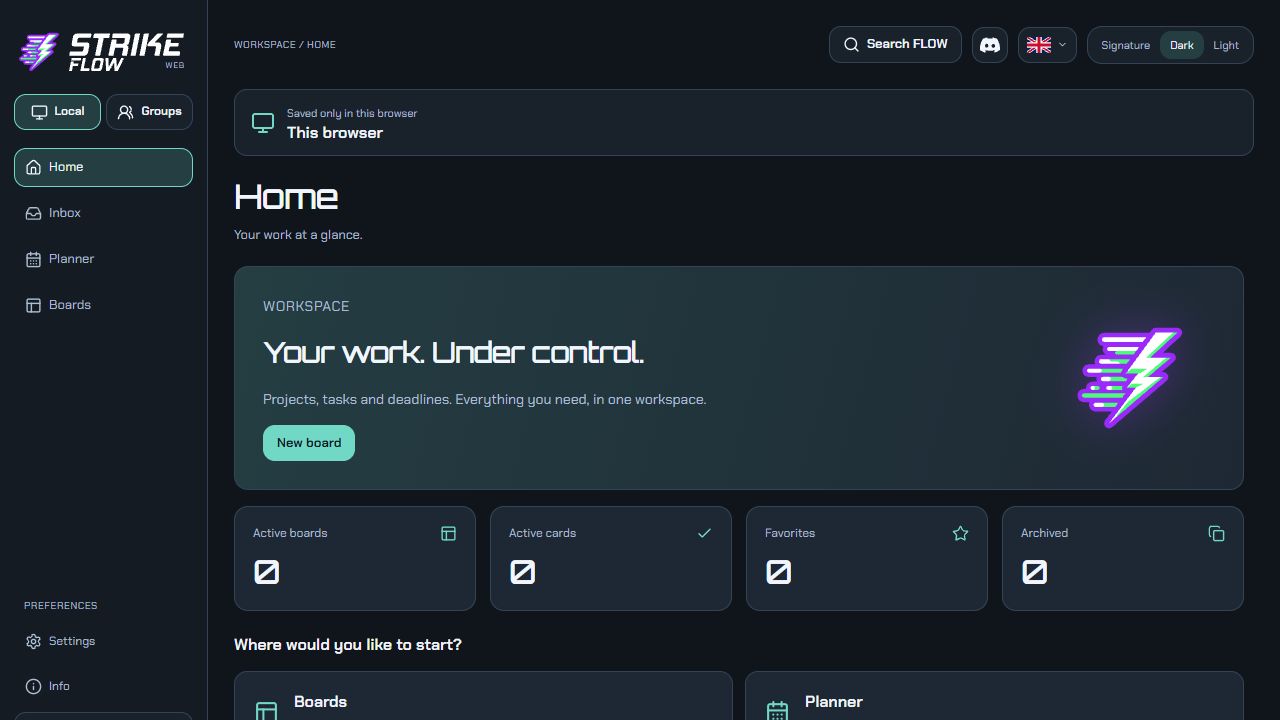
Local browser boards are separate from local PC boards. Export them as JSON before clearing site data. Group data is shared online; advanced desktop Timeline dependencies and protected Discord credentials remain in the Windows app.
Next update · 1.3
Send board updates to a channel in your server. Choose which events to share, filter by priority and preview the message before enabling automatic delivery.
These images show version 1.3, being prepared for the Microsoft Store. The integration will become available after the update is published. Advanced Timeline subtasks and dependencies remain local; card relationships are not synced in groups.
STRIKE FLOW preview
Explore the Windows app with fictional data: Local and Groups environments, the board catalog, Timeline and Planner in version 1.3.
Connect a board to your channel, choose events and priorities, review the preview and manage deliveries from the queue. FLOW must remain running.
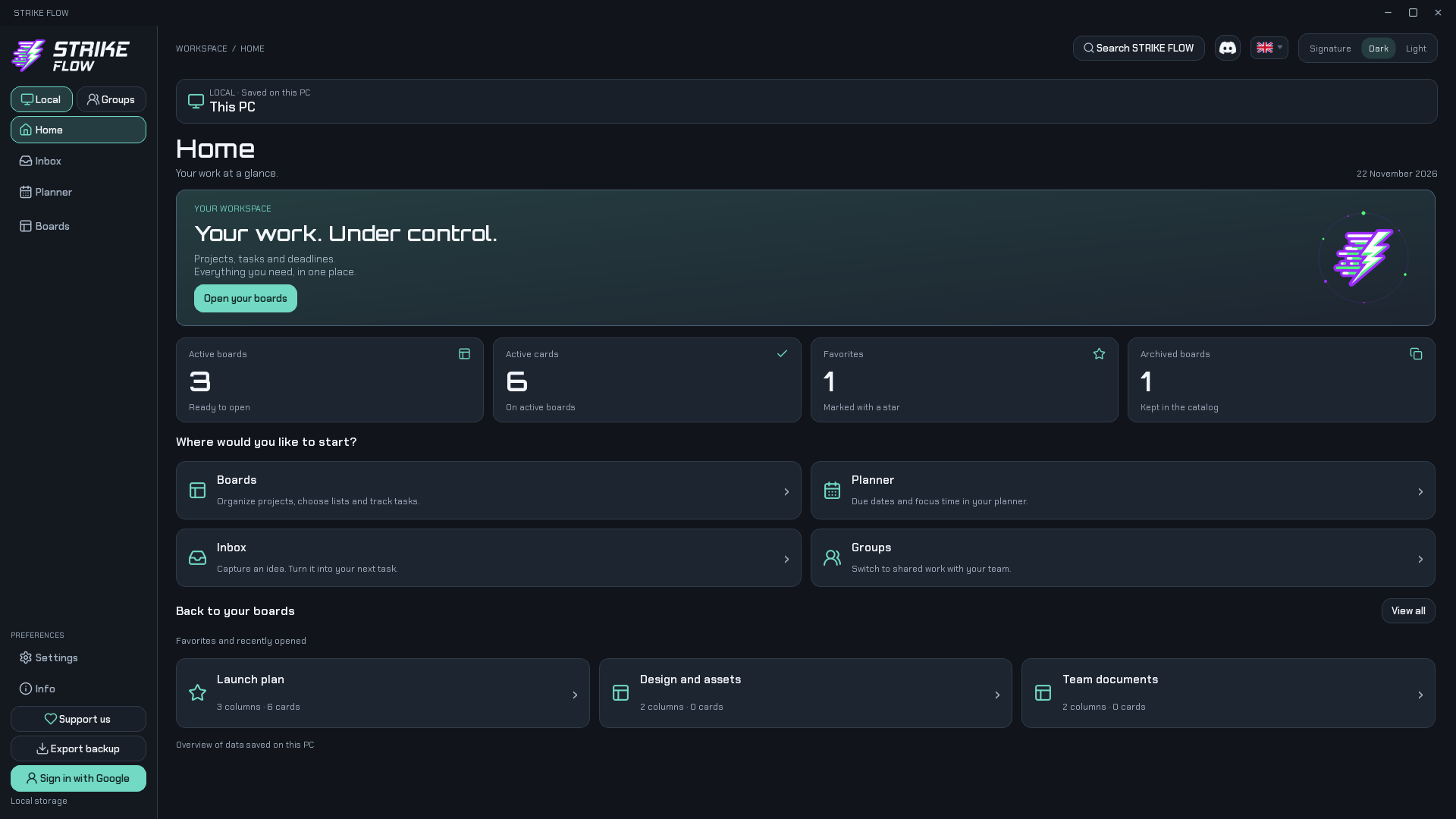
Your work at a glance: an overview, counters and shortcuts, with favorite and recent boards kept separate for each PC and group.
Create project lists and organize cards with labels, checklists, attachments and templates.
Assign several people, invite by nickname or email, and use comments, mentions and notifications.
Set times, reminders and recurring due dates. Schedule focus time, read an iCalendar feed or edit single events over CalDAV.
Use Ctrl + Alt + Space to capture a task and move it to the right board when you’re ready.
Combine several actions in a rule. Run it from a card, on a list, at a scheduled time or before a due date.
Search across boards and open direct links to cards. Export tasks as CSV, due dates as iCalendar or a board as JSON.
Switch between Kanban and a timeline of the same cards. Drag tasks to change their dates and resize the edge to adjust their duration.
On local boards, group subtasks, view links between cards and set milestones. Relationships are preserved in JSON exports too.
Open Contact from Info for a dedicated page with the support address, a Copy button and a link to your email app.
Two distinct environments, with the group name and your role visible when working online. Each environment preserves your screen, filters and position.
Choose unique names, rename, archive and delete boards. Deletion requires typing the name and includes a count of archived cards and templates.
Discord · 1.3
One connection per board, without adding a bot. Local boards are supported too; group boards require administrator or lead permissions.
Created cards, new assignments in groups, completed tasks, list changes and priority changes. Messages include the card title, board and priority, plus your selected optional details. Descriptions, account email addresses and attachments are not added; @mentions are not triggered.
In a regular Discord text channel, open Channel settings → Integrations → Webhooks. Create a webhook and copy its URL. You need the Manage Webhooks permission.
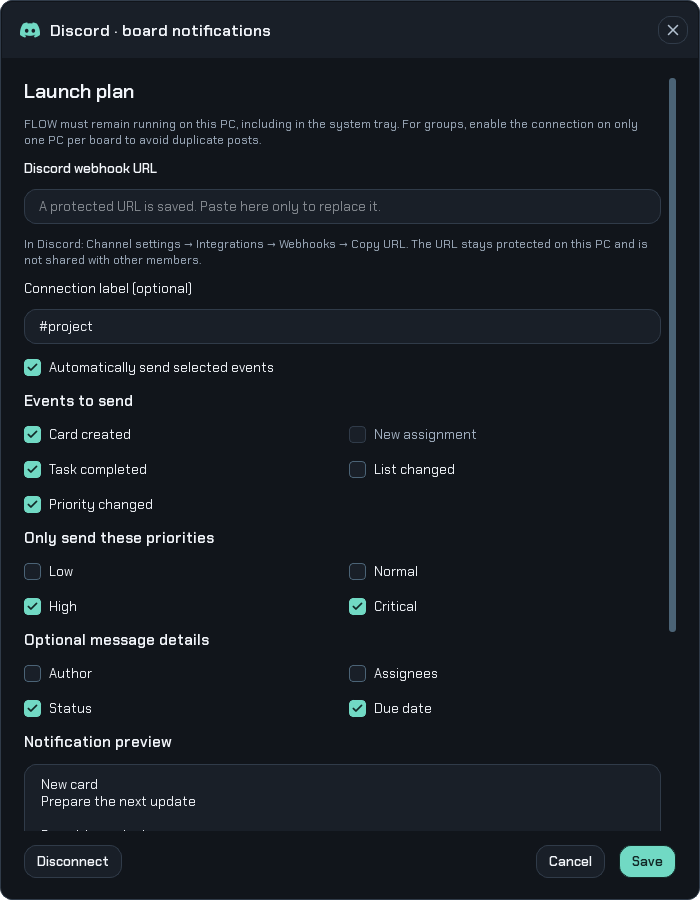
Choose Actions → Discord · board notifications. Paste the URL, then select events and priorities. The connection label is optional.
Review the preview and choose Save and send test. The test only sends a connection message with the board name; it does not publish existing cards.
If the test reaches the correct channel, select Automatically send selected events and choose Save. Open Discord deliveries to check the queue, retry failed deliveries or cancel pending messages.
Available for Windows
STRIKE FLOW is available for free on the Microsoft Store for Windows 10 and Windows 11. Download the app to organize your work locally or with your group.
Local archive
Create and use boards on this PC. Save a copy of your archive when you need it.
Online groups
Sign in with Google to create or open a group. Share boards, cards and updates.
Version 1.3 adds a per-board connection. Follow the Discord quick guide: create a webhook for a text channel, open Actions → Discord, send a test and enable events. Keep FLOW running on the configured PC. Read the Discord quick guide.
Open Home to see active boards, cards, favorites and archived boards for the current workspace. Shortcuts open Boards, Inbox, Planner or Groups. Below, return to your favorite or recently opened boards.
Open Project boards, choose New board and name your project. Use Edit board to change the lists.
Sign in with Google, set your nickname and open Online groups. From there, join a group or create one.
Export a board from Trello as JSON and choose Import JSON in Project boards. STRIKE FLOW shows a summary before it creates the new board.
With update 1.2, open a project board and choose Timeline. Drag a bar to move a task or its right edge to change the duration. Open a card to edit its details.
With update 1.2, local boards let you assign a parent card and link tasks that must come before others. Timeline shows the hierarchy and dependency arrows; moving a card does not automatically reschedule its dependencies.
Use the two sidebar buttons. Local contains data saved on this PC; Groups requires Google sign-in to open a shared workspace. Returning to an environment or group restores where you left off.
Open Boards and use Rename or Delete on the project tile. The menu also offers archiving. Permanent deletion requires the exact name and shows counts of active cards, archived cards and templates. Managing shared boards requires the relevant group permissions.
In version 1.2, earlier boards containing cards become regular editable boards. Conversion preserves content, archived cards, templates and links without changing card IDs.
Join the STRIKE Discord to follow FLOW updates and share feedback.
 Join Discord